
Close every dayknowing it’s right.

Cashi is an Android app for GCash outlets. It reads your GCash receipts, adds up your markup, and counts the drawer with you at closing. It’s almost on Google Play, and we need your help to get it there.

The first 20 testers who stay all 14 days get Cashi Pro free for life. Read why Cashi exists

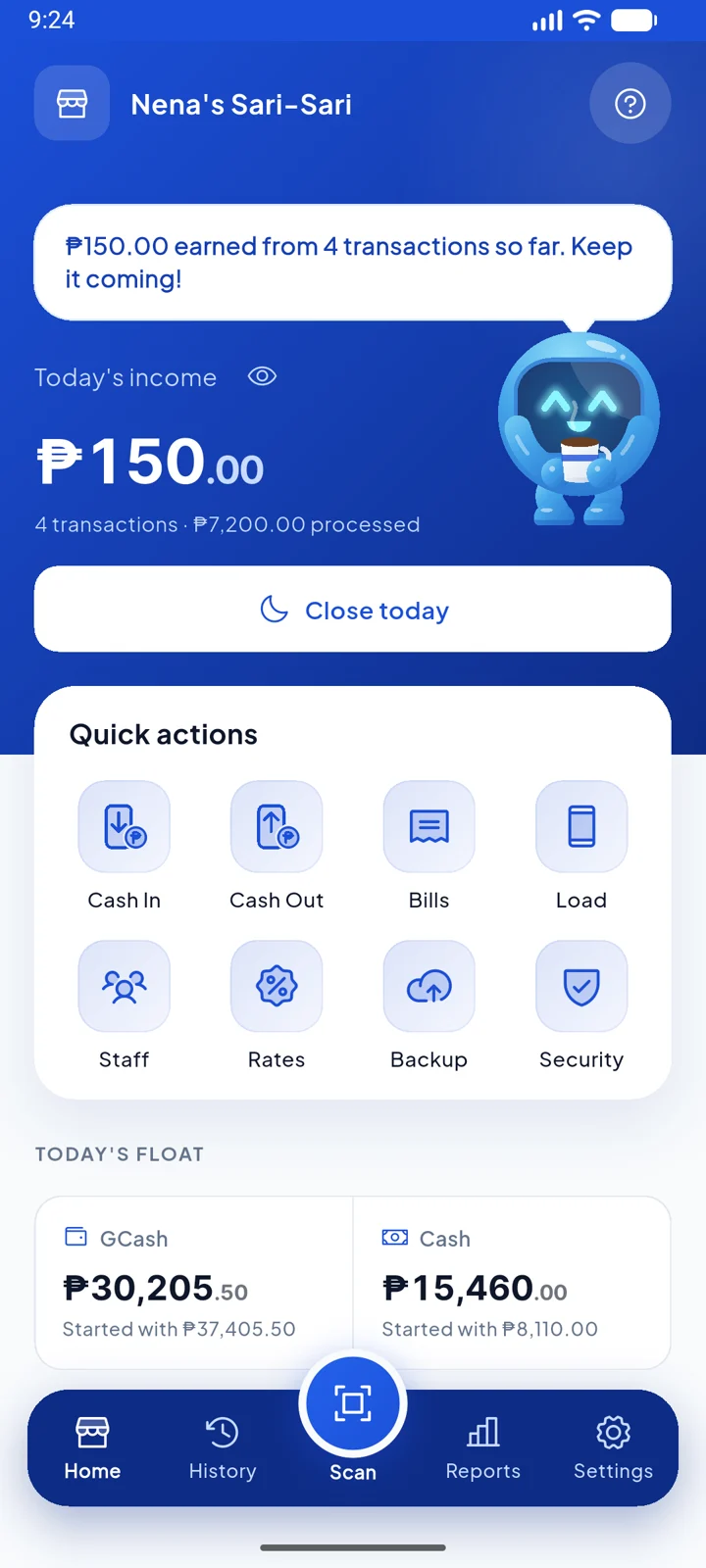
Cashi's home screen: ₱150 earned today from 4 transactions, quick actions, and today's GCash and cash float

Hi! I’m Cashi.

Cashi, the blue robot mascot, waving hello

9:00 PM. ₱340 short.

  1. The shutter is half down. Forty-odd GCash transactions sit in a notebook, in three different handwritings.
  2. You count the drawer. You check the wallet. They don’t agree, and you can’t tell which line is wrong.
  3. So you scroll back through every receipt screenshot, one by one, adding markup in your head.

Cashi was made for that hour. It keeps the ledger as you go, so closing is a count, not a search.

Cashi squinting at a receipt through a magnifying glass

How Cashi runs a store day

Three moments: open with a count, record every transaction from its receipt, close with a count. Cashi does the adding in between.

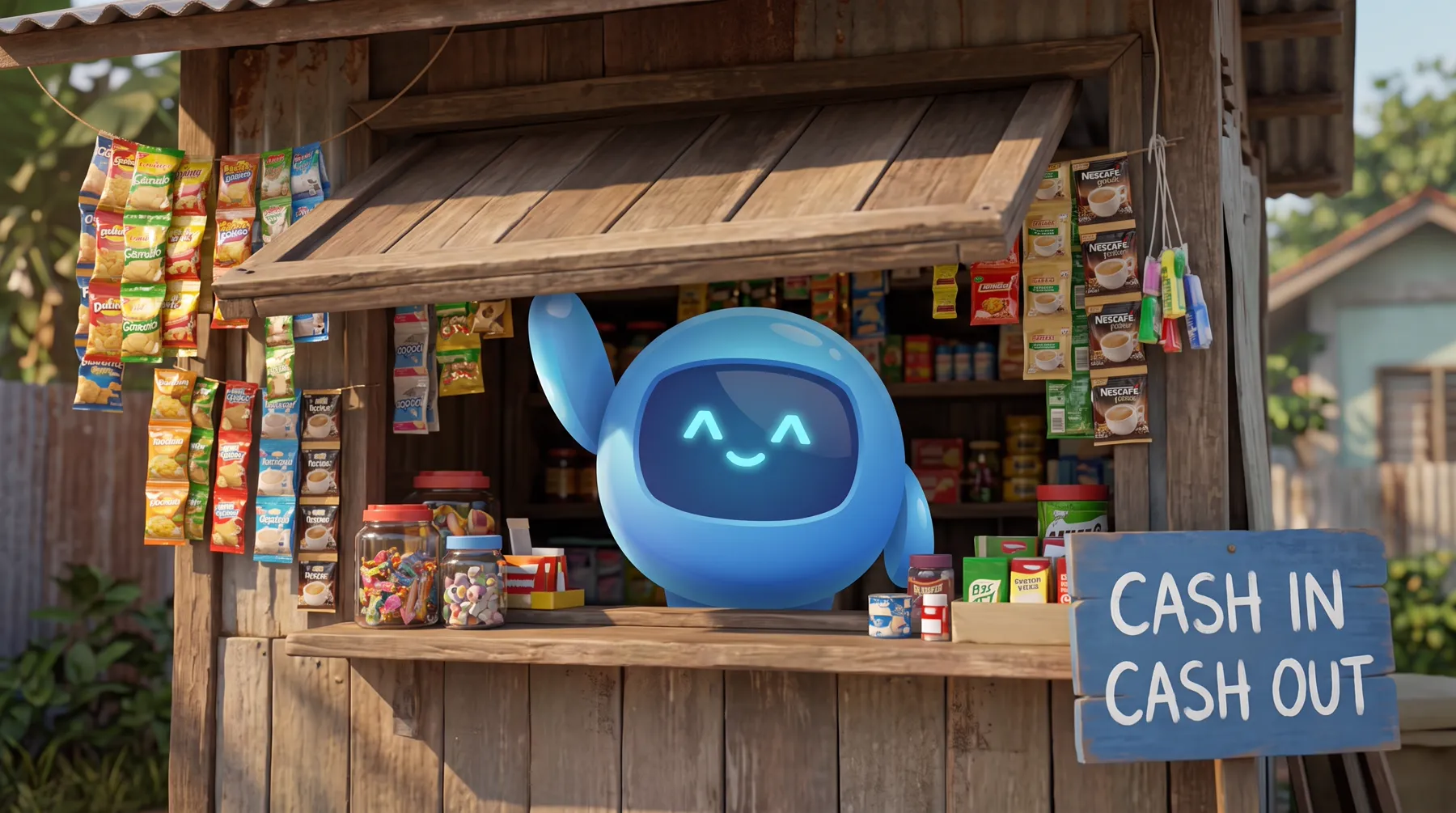
Illustration of Cashi opening a small sari-sari store in the morning, with a Cash in, Cash out sign
7:00 AMShutter up. Count the float before the first customer.
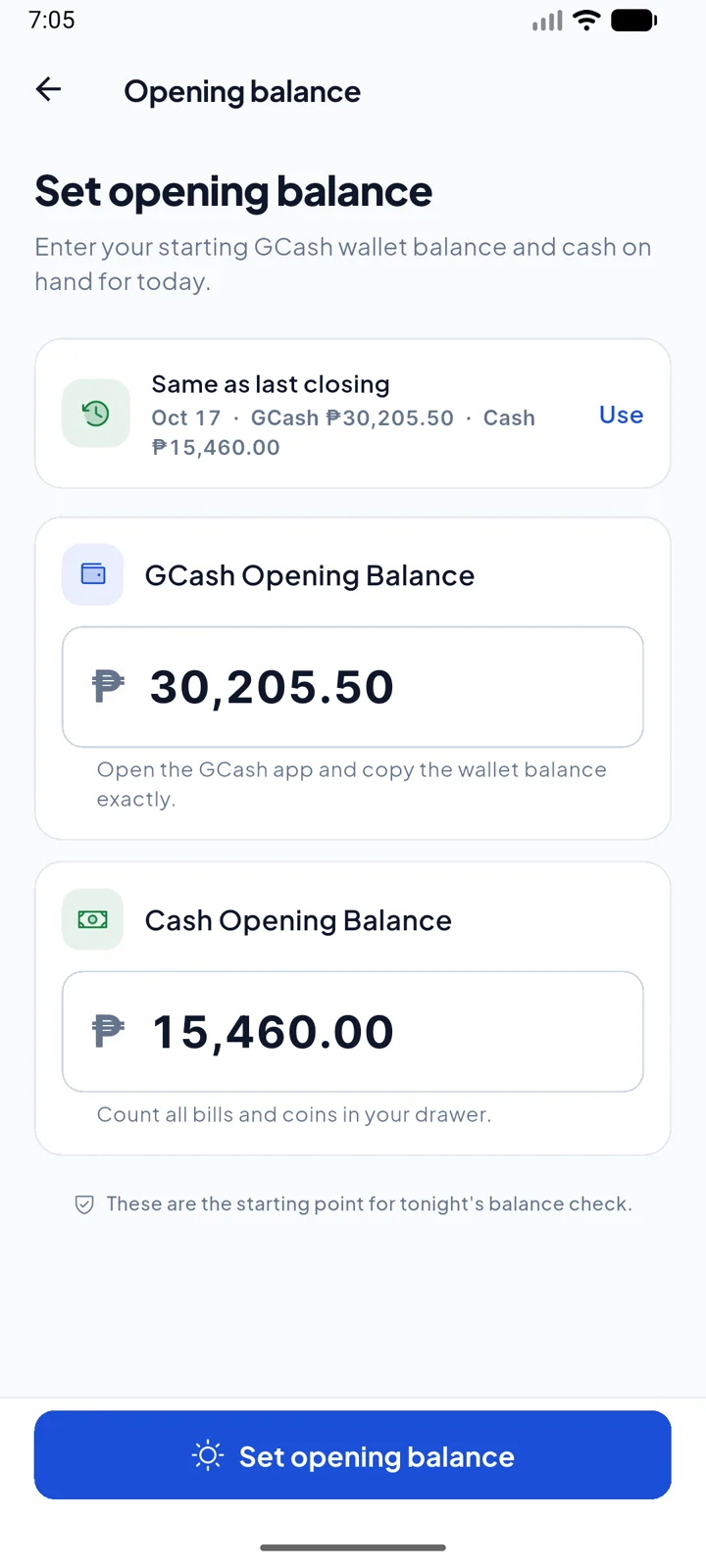
Cashi's Set Opening Balance screen with the GCash and cash amounts filled in from last closing

Opened at 7:00

Enter the GCash balance and the cash in the drawer, or reuse last night's closing count with one tap.

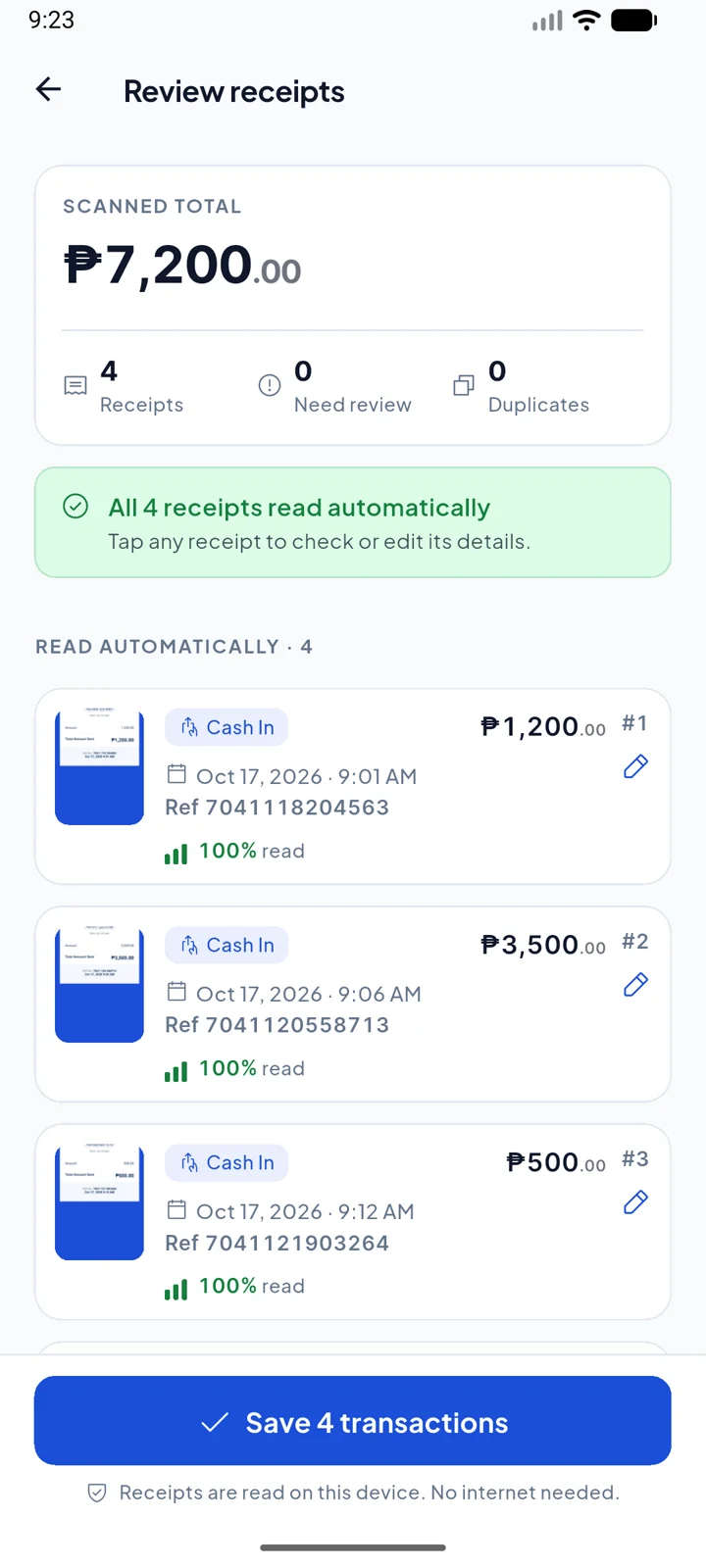
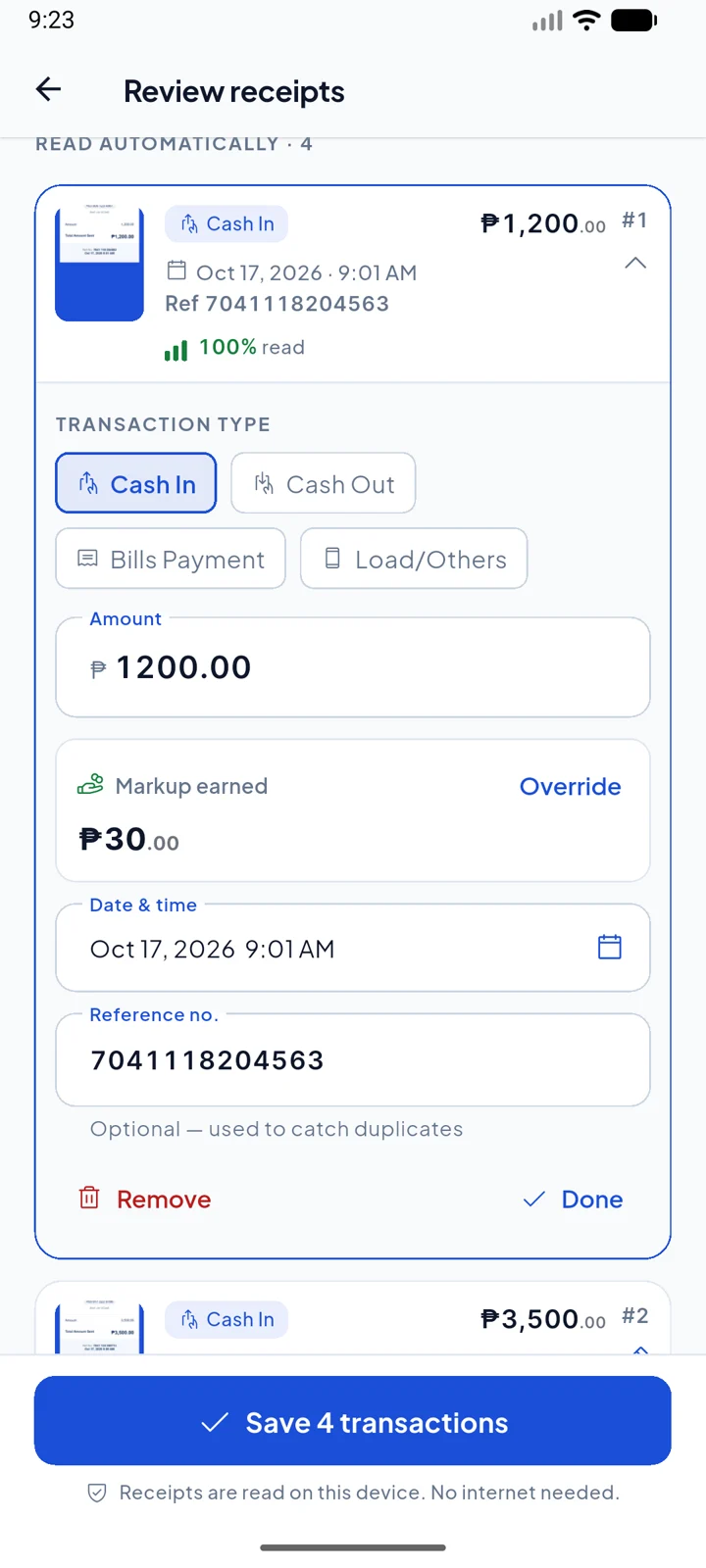
Cashi's Review receipts screen: 4 receipts read automatically, ₱7,200 scanned in total

Recorded all day

Scan GCash receipt screenshots, up to 10 at once. Cashi reads the amount, type and reference on the phone, adds your markup, and flags duplicates.

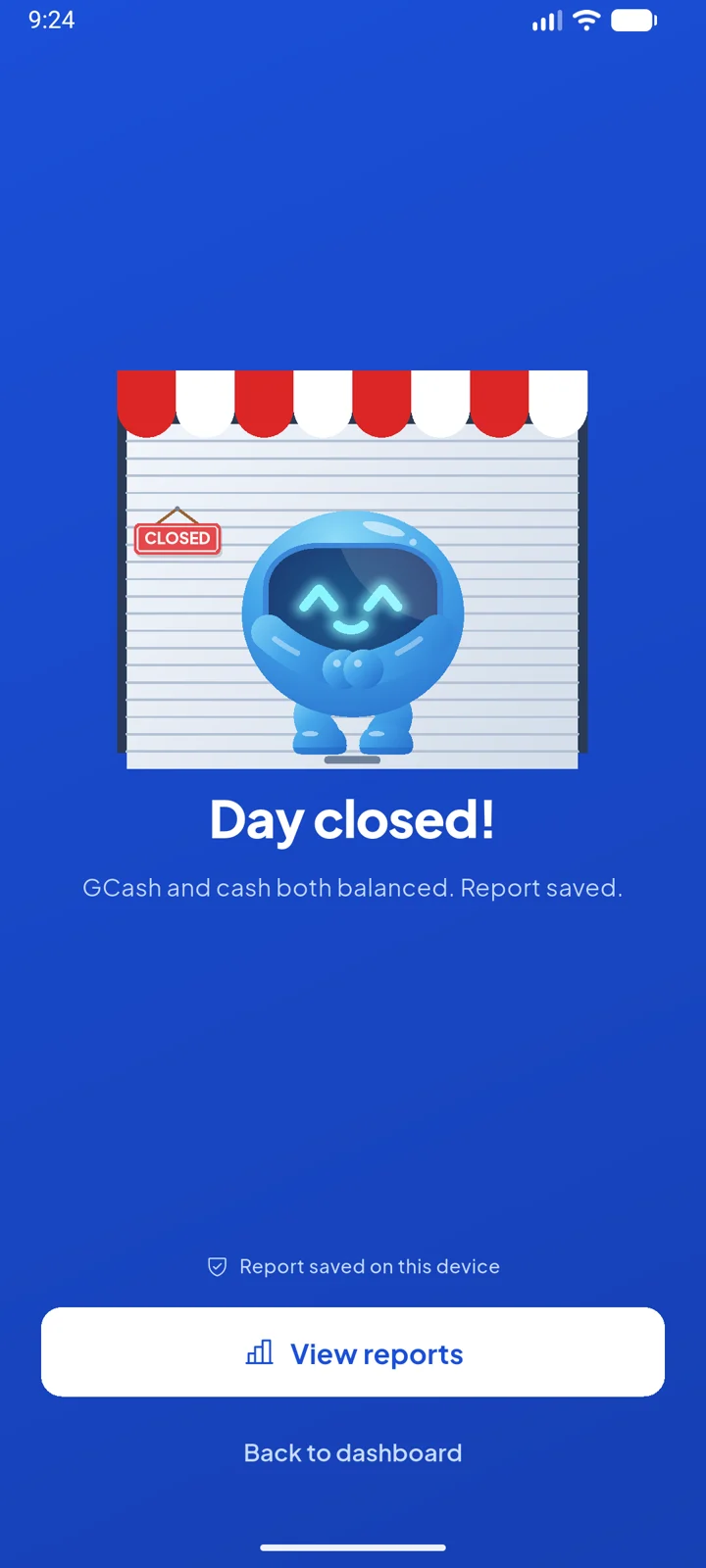
Cashi's Day Closed screen with Cashi pulling down the store shutter

Closed at 9:00

Count the drawer. Cashi compares it with what it expected and marks the day balanced, short or over.

Illustration of Cashi at the store counter at night beside a phone showing a green check
9:00 PMDrawer counted, day closed. Cashi keeps the record.

Everything Cashi does

Markup on every transaction.

Per ₱500, a percent, or a flat fee, set separately for cash in, cash out, bills and load. Each transaction keeps the rate it was made at, so changing your rates never rewrites last week.

Review receipts screen showing ₱30 markup earned on a ₱1,200 cash in

The day on one screen.

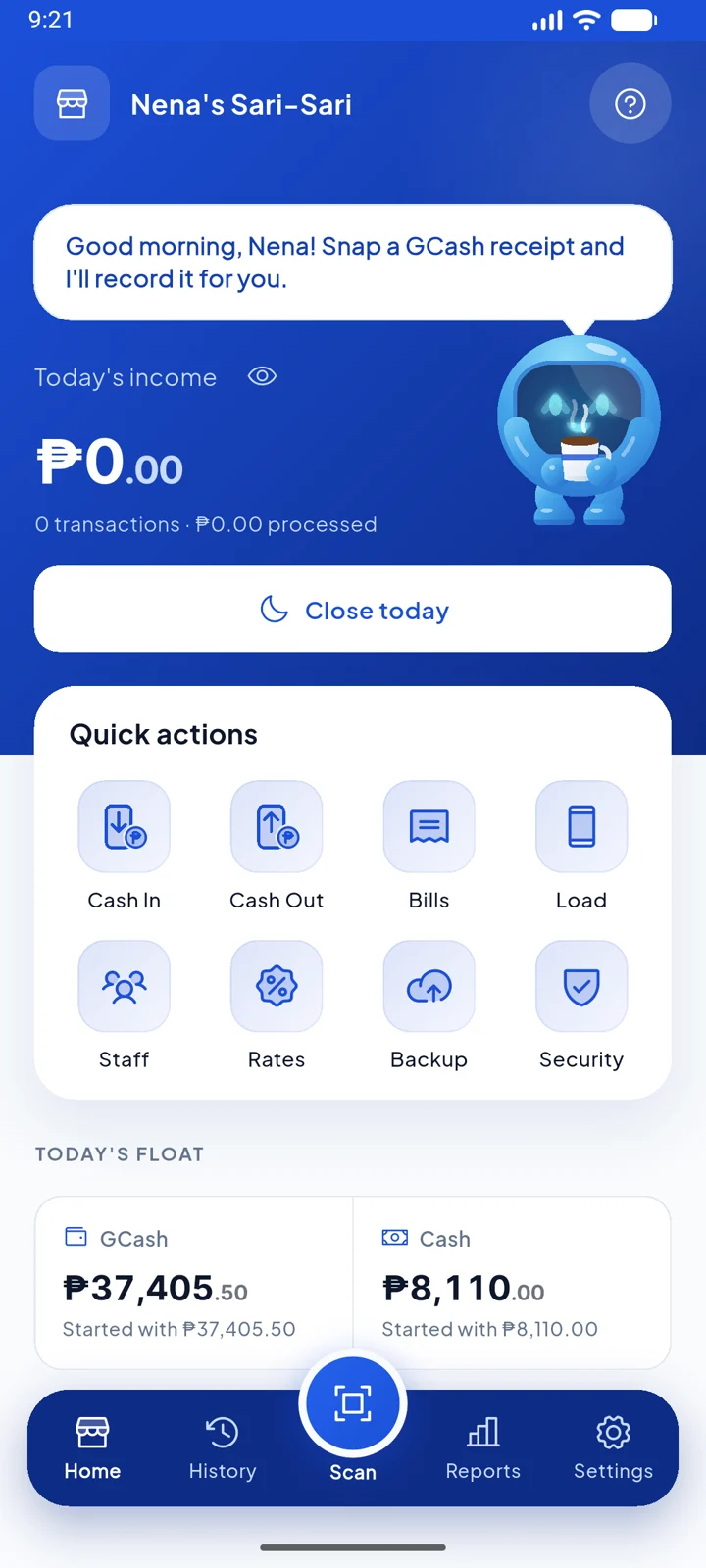
Today's income, how many transactions, and where your GCash and cash float stand right now. Cashi tells you how the day is going.

Home screen with ₱150 income from 4 transactions and today's float

Close with a real count.

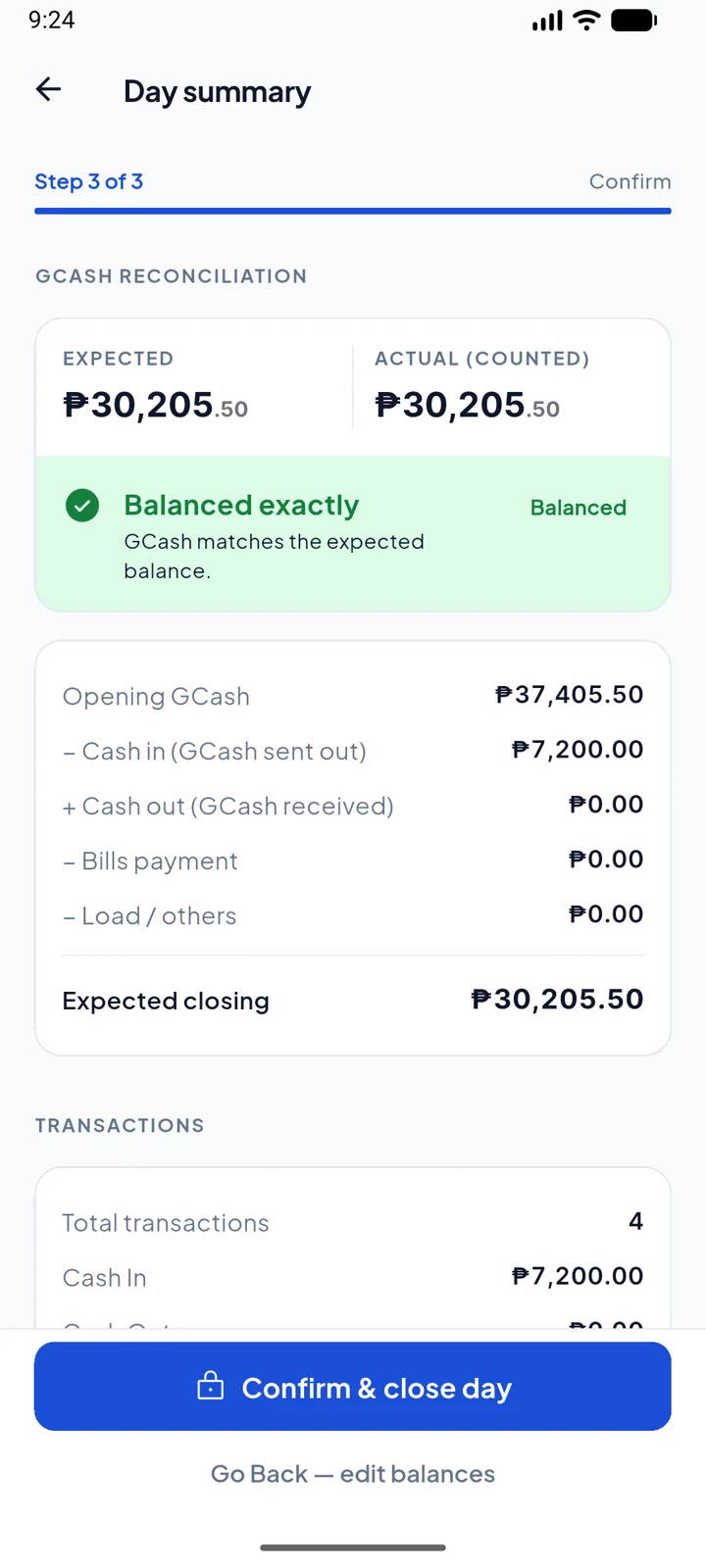
Enter what is really in your GCash and your drawer. Cashi shows the expected balance line by line and marks the day balanced, short or over.

Day Summary screen showing GCash expected and counted, balanced exactly

Reports that add up on their own.

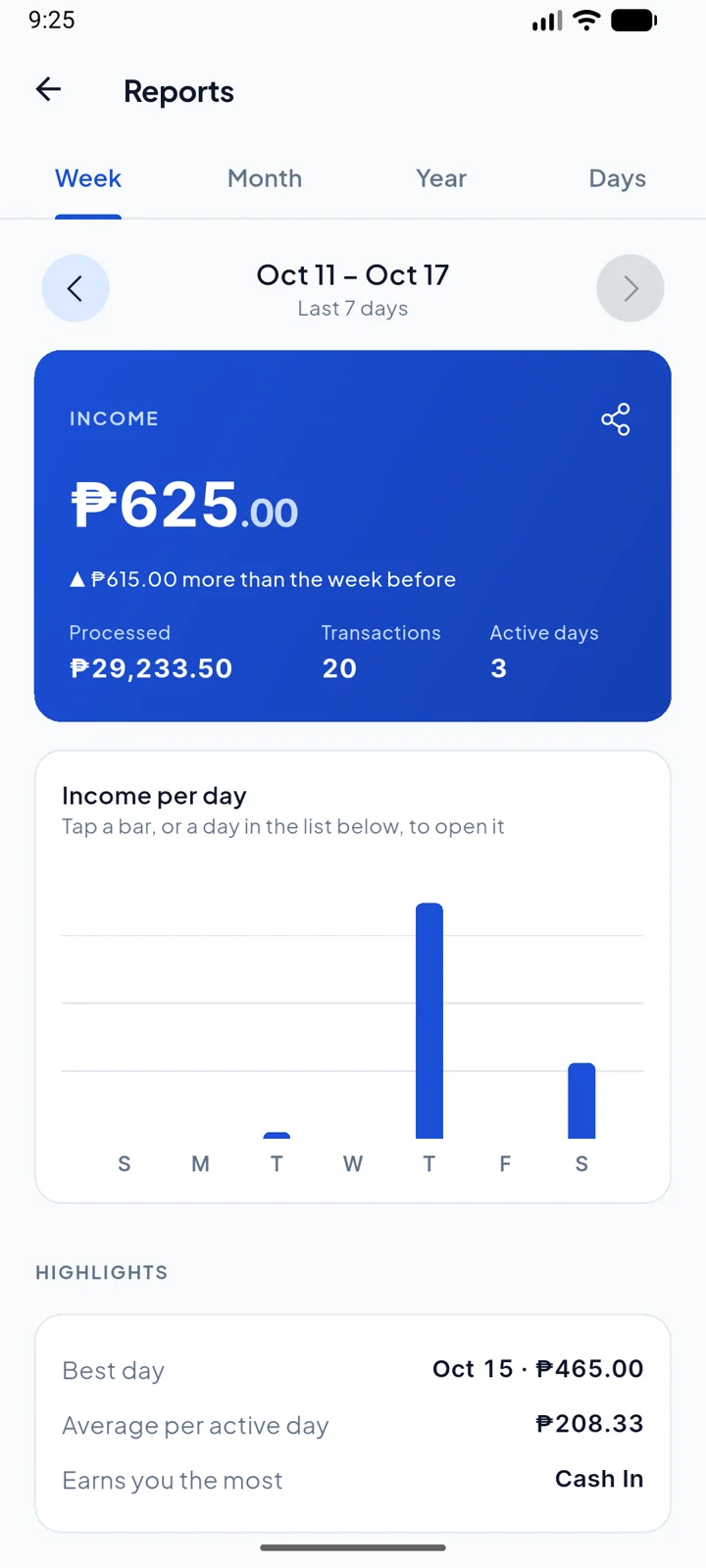
Income per day, weekly and monthly summaries, and a daily statement with each day's status. Save weekly and monthly reports as PDF or CSV.

Reports screen: ₱625 income this week, income per day chart and highlights

Your earnings stay yours.

Each staff member has their own PIN. They see the day's GCash and cash balances to serve customers, but not your markup, earnings or reports. Three wrong PINs lock the account. Strict mode makes their manual entries wait for your OK.

Home screen in the morning with the day open and Cashi holding a coffee

See it run on a phone

Recorded on Android from the current build, with a test store’s data. Nothing here is a mockup.

Scan a stack of receipts

Four GCash screenshots picked at once, read on the phone, checked, and saved with the markup filled in.

Close the day

Count the GCash wallet and the drawer. Cashi compares, marks the day, and pulls the shutter down.

Sign in with your PIN

Six digits for the owner, a separate PIN for each staff member. Cashi greets whoever opens the store.

How many transactions a day?

40

₱20,800a month

Markup at ₱10 per ₱500 on a ₱1,000 average, over 26 store days. Cashi adds up the real amounts for you, every one of them.

Help Cashi reach Google Play

Before a new app can go public, Google Play asks for at least 12 people to test it for 14 days in a row. That’s the last step between Cashi and every GCash outlet. You can be one of them.

Cashi cheering with both arms up
  1. Sign up below

    with the Google account on your Android phone.

  2. Install from the link

    we email you. It opens Cashi’s page on Google Play.

  3. Keep it for 14 days

    and use it now and then. Tell us what breaks or confuses you.

Test it now

Cashi Pro free for life

  • For the first 20 testers who stay all 14 days. At launch you get a Google Play code that unlocks Pro for good.
  • Made for people who run or work a GCash counter: use Cashi on real days and tell us what breaks.
  • You need Android 9 or newer and a Google account. Nothing is charged.

Use the Google account your Play Store is signed in to. We send the test link to it.

Wait for launch

₱499 launch price

  • Cashi Pro is ₱699 after launch. The early list hears first, while the launch price is on.
  • Cashi itself is free. Pro is one payment, no subscription.

One email when Cashi launches, while Pro is ₱499. No spam.

Free to run your store

Recording, scanning, closing the day and reports are free, with no limit on history. Cashi Pro is one payment for busier counters: more staff, bigger scans and a daily close sheet.

Cashi

Free

Everything a counter needs, every day

  • Scan GCash receipts, up to 10 at a time
  • Markup on every transaction
  • Open and close the day with a real count
  • Weekly, monthly and yearly reports, as PDF or CSV
  • One staff member with their own PIN
  • Strict mode, fingerprint unlock and daily backups
  • No limit on history
Become a tester

Cashi Pro

₱499

Launch price, then ₱699. One payment, no subscription.

  • Everything in Cashi
  • Up to 5 staff, each with their own PIN
  • 30 receipts per scan
  • Daily close sheet: a one-page PDF and a summary to send
  • Re-open an earlier day for a late receipt
Get the launch price

Common questions

When does Cashi launch?

As soon as Google Play’s test is done: at least 12 testers keeping Cashi installed for 14 days in a row, then Google’s review. More testers, sooner launch.

Who can be a tester?

Anyone with an Android phone (Android 9 or newer) and a Google account. Cashi is built for people who run or work a GCash counter, so testing on real store days helps most. You get a Google Play link, install Cashi from it, and use it for 14 days.

What do testers and early signups get?

The first 20 testers who stay all 14 days get Cashi Pro free for life, through a Google Play code at launch. People on the early list hear first while Pro is at its ₱499 launch price (₱699 after). Cashi itself stays free for everyone.

Is Cashi made by GCash?

No. Cashi is an independent app for people who run a GCash Partner Outlet. It isn’t affiliated with, endorsed by or connected to GCash or G-Xchange, Inc. It never logs in to your GCash account; it reads the receipts you already have.

Where is my data kept?

On your phone only, in a local database. Cashi backs it up on the phone every day and repairs a damaged database on its own when it starts. Nothing is sent to a server.

Does scanning need internet?

No. Text on the receipt is read on the phone itself, so scanning works on a weak signal or none at all.

What if Cashi reads a receipt wrong?

Before anything is saved you see every receipt next to what Cashi read. Unclear ones, or ones missing an amount, type or date, are marked Need review. A reference number that was already recorded is caught as a duplicate.

Can my staff see how much I earn?

No. Each staff member signs in with their own PIN. Markup, earnings and reports stay with the owner. Staff see the day’s GCash and cash balances so they can serve customers. Three wrong PINs lock a staff account.

How is the drawer checked?

At closing you count GCash and cash. Within ₱10 of what Cashi expected, the day is balanced. Up to ₱200 off is a warning. More than ₱200 is flagged so you can look into it.

Which phones does it run on?

Android phones on Android 9 or newer. Saving a backup copy or a report to Downloads needs Android 10 or newer. Cashi is built for the phone already on your counter.